One crochet project is easy to remember. Five works in progress are not. The hook migrates to another bag, the yarn label disappears, and the note about changing row 18 lives in a place you cannot find. A simple planning system fixes that by giving every project one reliable home.
This guide shows you how to organize crochet projects without turning your hobby into paperwork. You can build the system in any notebook, or use our printable and digital Crochet Project Planner on Etsy if you want the pages ready to go. It is a digital download; no physical item is shipped.
What a Crochet Project Planner Should Actually Solve
A useful planner is not just a pretty place to list project names. It should answer the questions that interrupt a crochet session: Which hook did I use? What size am I making? Where did I stop? Do I own enough of the same yarn and dye lot? What did I change from the pattern?
- Project records preserve the pattern, size, yarn, hook and modification details.
- A WIP tracker shows what is active, paused, finished or ready to frog.
- A yarn stash inventory makes shopping your own supplies easier.
- Hook and gauge records help you reproduce the fabric you intended.
- Gift and care notes keep deadlines and washing instructions with the project.
The goal is not to record every stitch. Record the information that would cost time, yarn or patience if you had to reconstruct it later.
1. Give Every Crochet Project One Master Record
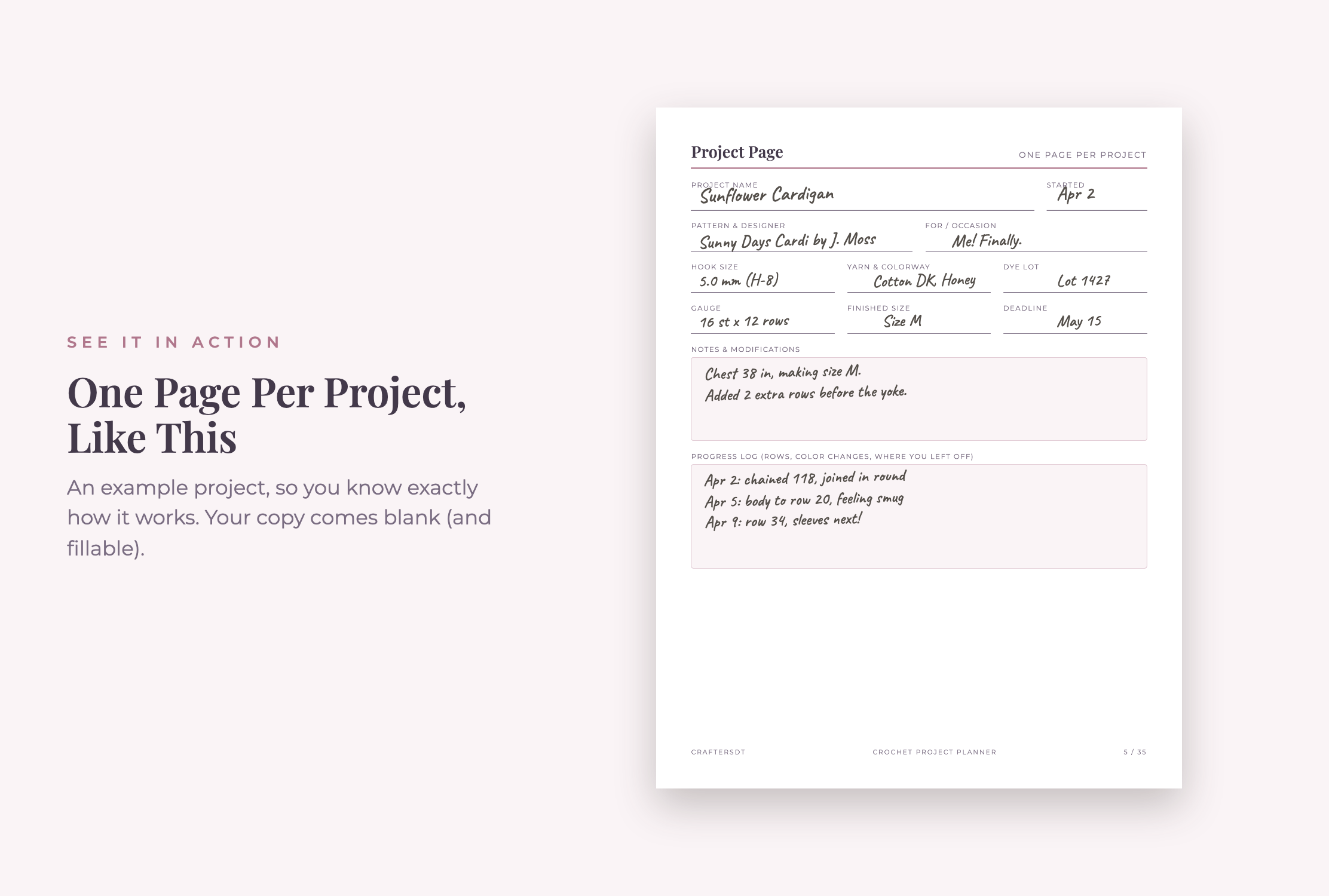
Start a project page as soon as you choose the yarn—not after you have already forgotten the setup. Add the project name, recipient, pattern source, planned size, yarn brand and color, hook size, start date and target date. If the pattern is online, record its name and designer rather than trusting an open browser tab to survive for months.
Use the notes area for decisions that affect the finished piece. Examples include “added four rows before the armhole,” “worked the border with a smaller hook,” or “motif order starts with cream.” These details matter when you return after a break or decide to make the project again.
2. Track WIPs by Their Next Action
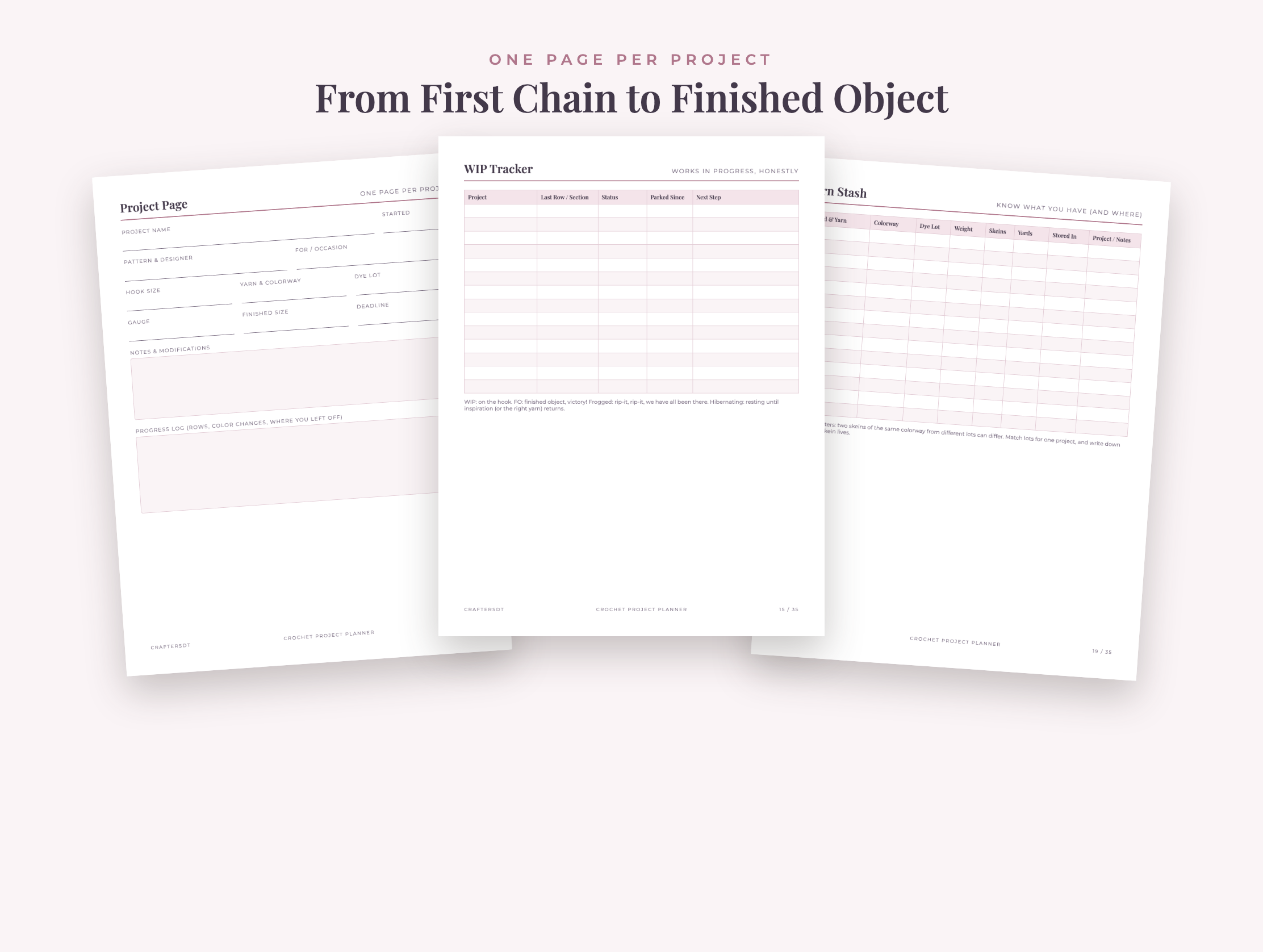
A long WIP list can create more guilt than clarity. Make it useful by assigning each project a truthful status and a specific next action. “Continue blanket” is vague; “join squares 13–18” tells you exactly how to restart.
- Active: currently receiving regular crochet time.
- Hibernating: intentionally paused but still wanted.
- Frogged: unraveled so the yarn can return to the stash.
- Finished: complete, including ends, blocking and any photos or care tags.
Write the current row or round and the next action before putting a project away. Keep its hook, remaining yarn, pattern and project page in the same bag when possible. A two-minute shutdown note can save a frustrating half hour later.
3. Turn Your Yarn Stash into a Usable Inventory
A yarn inventory is most helpful when it supports decisions. For each yarn, record the brand and line, fiber, weight, colorway, dye lot, amount owned and storage location. “Blue yarn in closet” is not enough when you need to know whether you have 700 yards from the same dye lot.
Choose one unit for quantity—yards, meters, grams or skeins—and use it consistently within a record. If you have partial skeins, an inexpensive kitchen scale can help estimate what remains. Also record where the yarn lives, such as “studio bin B3,” so the inventory does not become a catalog of supplies you still cannot locate.
The Craft Yarn Council yarn weight system is a useful common reference when labels and pattern terminology differ. Treat the category as a starting point, then make a gauge swatch for the actual project.
4. Save Hook, Gauge and Pattern Changes Together
Hook size alone does not guarantee the same fabric. Your yarn, tension, stitch pattern and technique all influence gauge. Record the hook’s metric size as well as any letter or number printed on it; naming conventions vary, while millimeters give you a dependable comparison. The Craft Yarn Council also provides a handy crochet hook size chart.
For garments, fitted accessories and projects where finished dimensions matter, attach or photograph the swatch and note stitches and rows per measurement. Then record every deliberate pattern change on the same project page. Future you should be able to answer three questions at a glance: what the pattern requested, what you changed and whether the result worked.
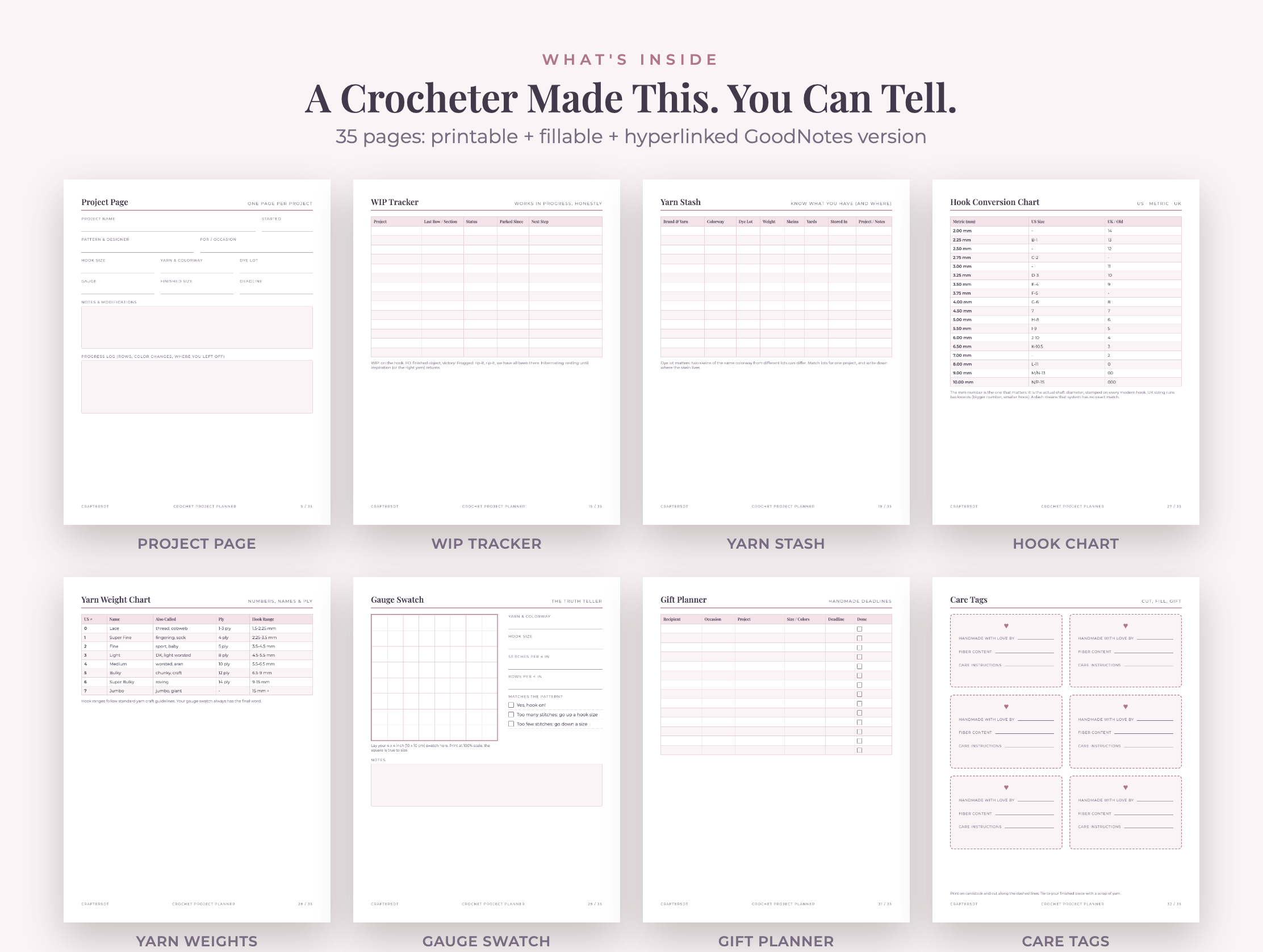
You can also keep a compact pattern library with the pattern name, designer, craft level, source and the projects in which you used it. That makes a favorite pattern easier to find and helps prevent duplicate purchases.
📱 Craftino App
Make more crafts like this
1,000+ craft ideas with photo guides & Pro Tips
✓ Step-by-step photo tutorials, nothing left out
✓ Pro Tips for every step
✓ Save crafts & browse fully offline
✓ New ideas added every week


Printable, Fillable PDF or GoodNotes: Which Format Fits?
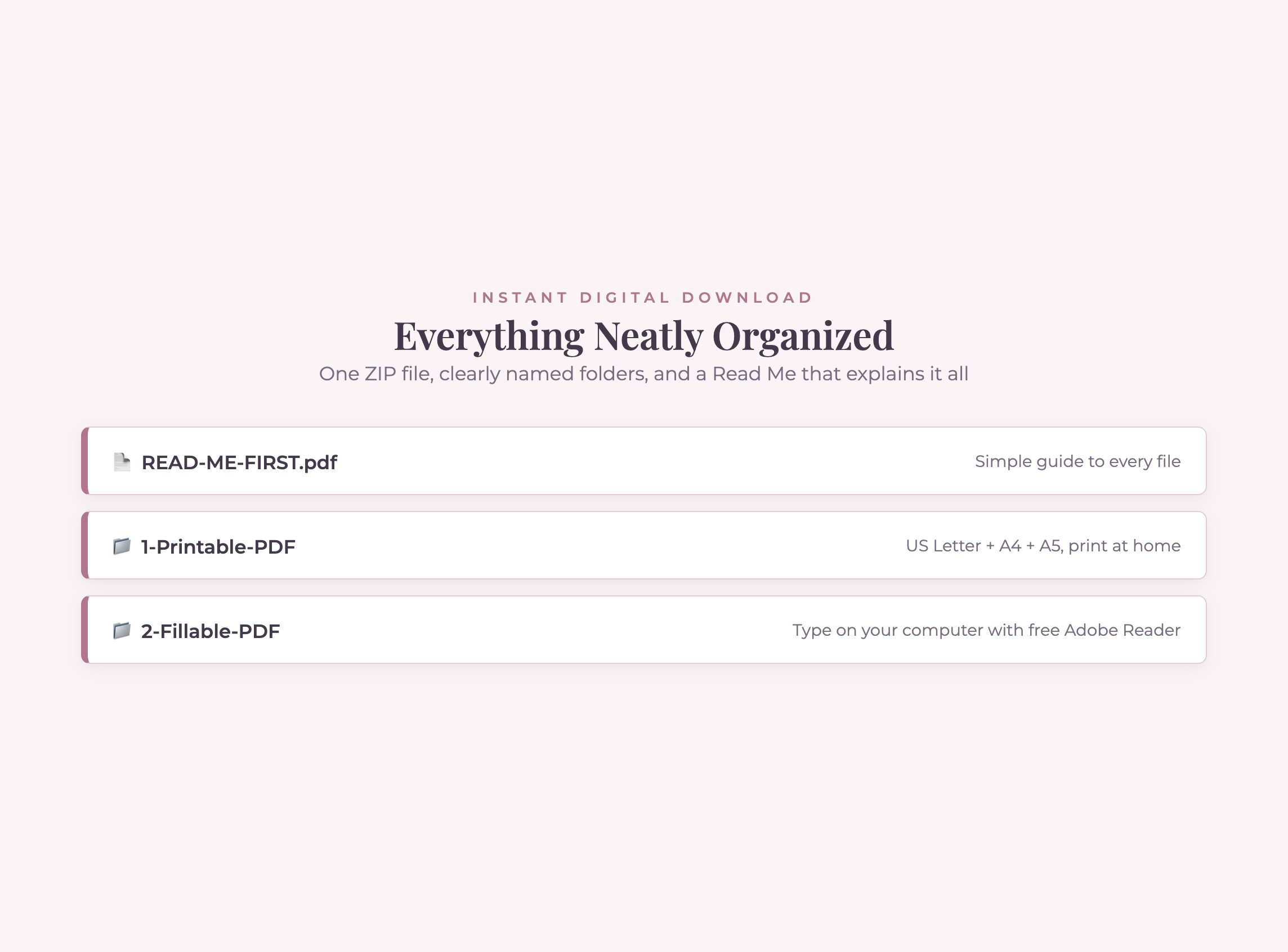
The best format is the one you will update while the information is fresh. This planner includes printable US Letter, A4 and A5 layouts, a fillable PDF, and a hyperlinked digital version for note-taking apps. You can use one format or combine them.
Choose printable pages if you like project bags
Print only the pages you need and place each project record with its yarn. A binder can hold the master WIP list, stash pages and reference charts. Select the file that matches your paper size, and print gauge or reference pages at 100% rather than using “fit to page” when scale matters.
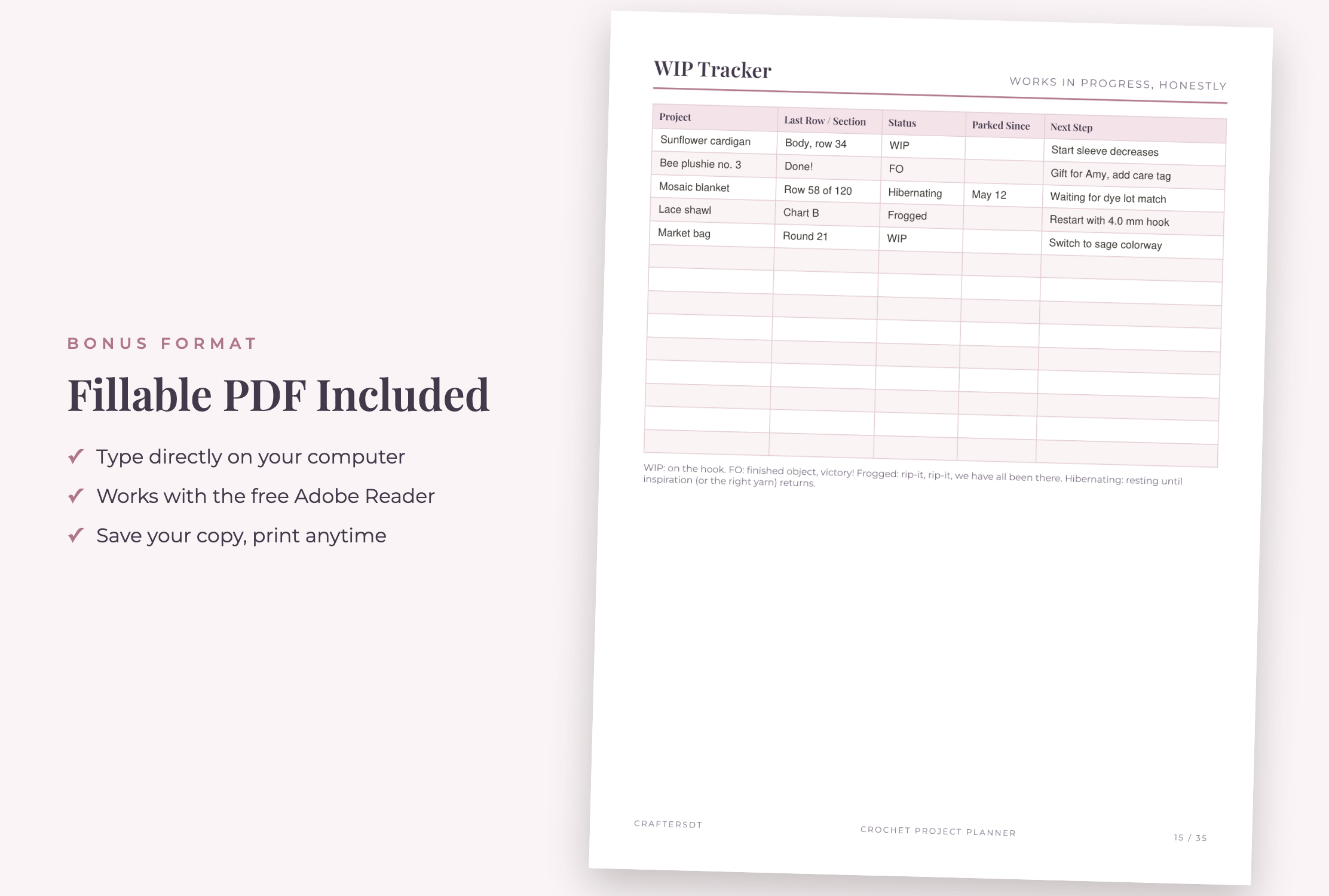
Choose the fillable PDF if you prefer typing
The fillable version keeps records searchable and tidy without requiring a tablet note-taking setup. Save a fresh copy before entering a new project, use a clear filename, and keep a backup in your usual cloud or computer backup system.
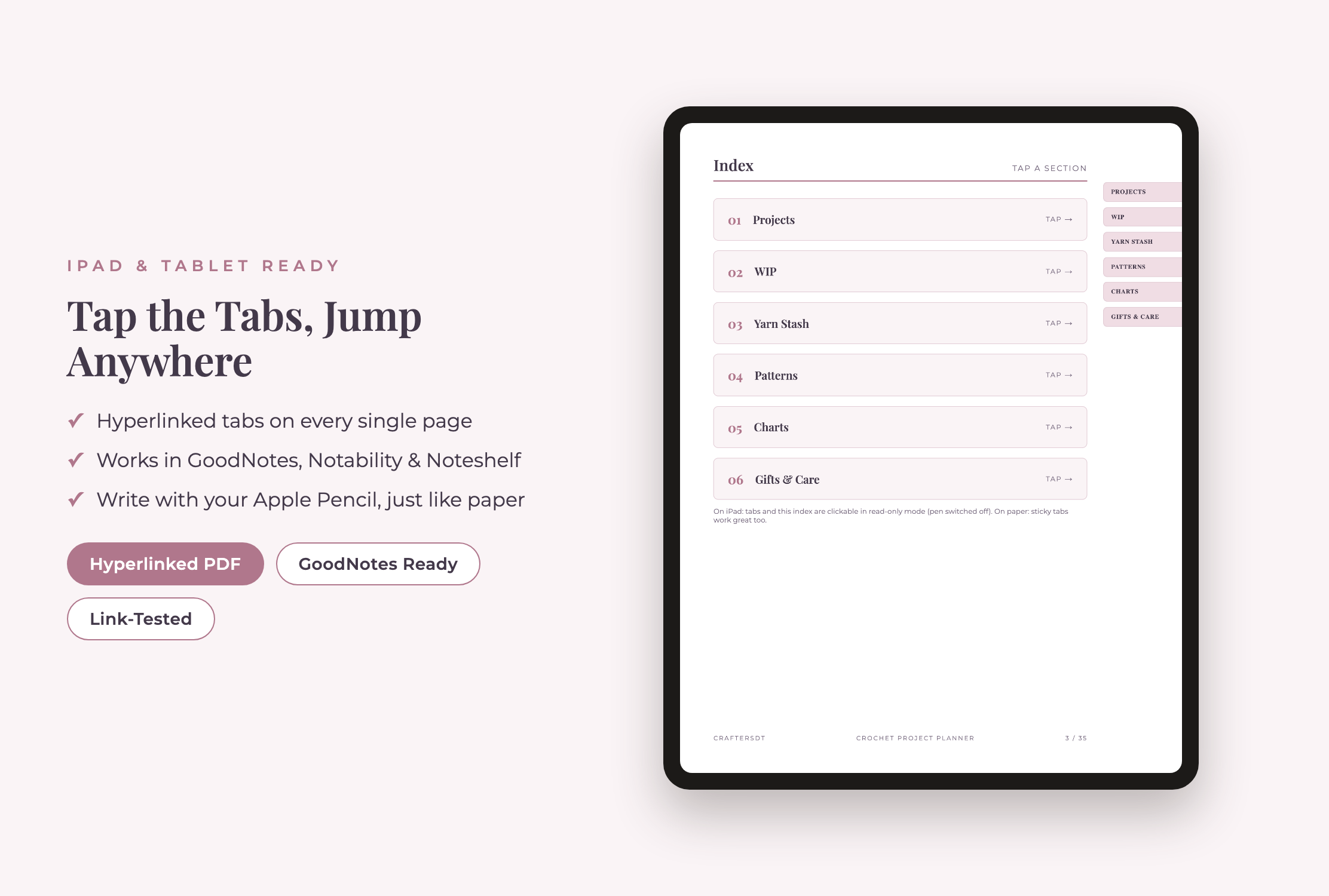
Choose GoodNotes for a linked digital binder
The hyperlinked version is designed for digital note-taking workflows in apps such as GoodNotes, Notability or Noteshelf. Section tabs connect Projects, WIP, Yarn Stash, Patterns, Charts, and Gifts & Care. Import a clean copy into your chosen app, duplicate reusable pages before writing, and test the app’s link-navigation mode if a tap selects ink instead of opening a tab.
A hybrid workflow is often practical: maintain the searchable master inventory digitally, then print a single project page for the bag that travels with your work.
A 15-Minute Crochet Organization Reset
You do not need to inventory an entire craft room before this system becomes useful. Start with current projects and expand only when the habit is working.
- Gather active WIPs. Put every current project where you can see it.
- Choose a status. Keep a small active queue and mark the rest hibernating, frogged or finished.
- Create one record per active project. Add the pattern, yarn, hook, size and current stopping point.
- Capture the next action. Make it concrete enough that you can begin immediately next time.
- Add yarn as you touch it. Inventory the yarn attached to active WIPs first, then new purchases and leftovers.
- Schedule a five-minute weekly review. Update rows, quantities and deadlines while they are still easy to remember.
What Is Included in the 35-Page Planner?
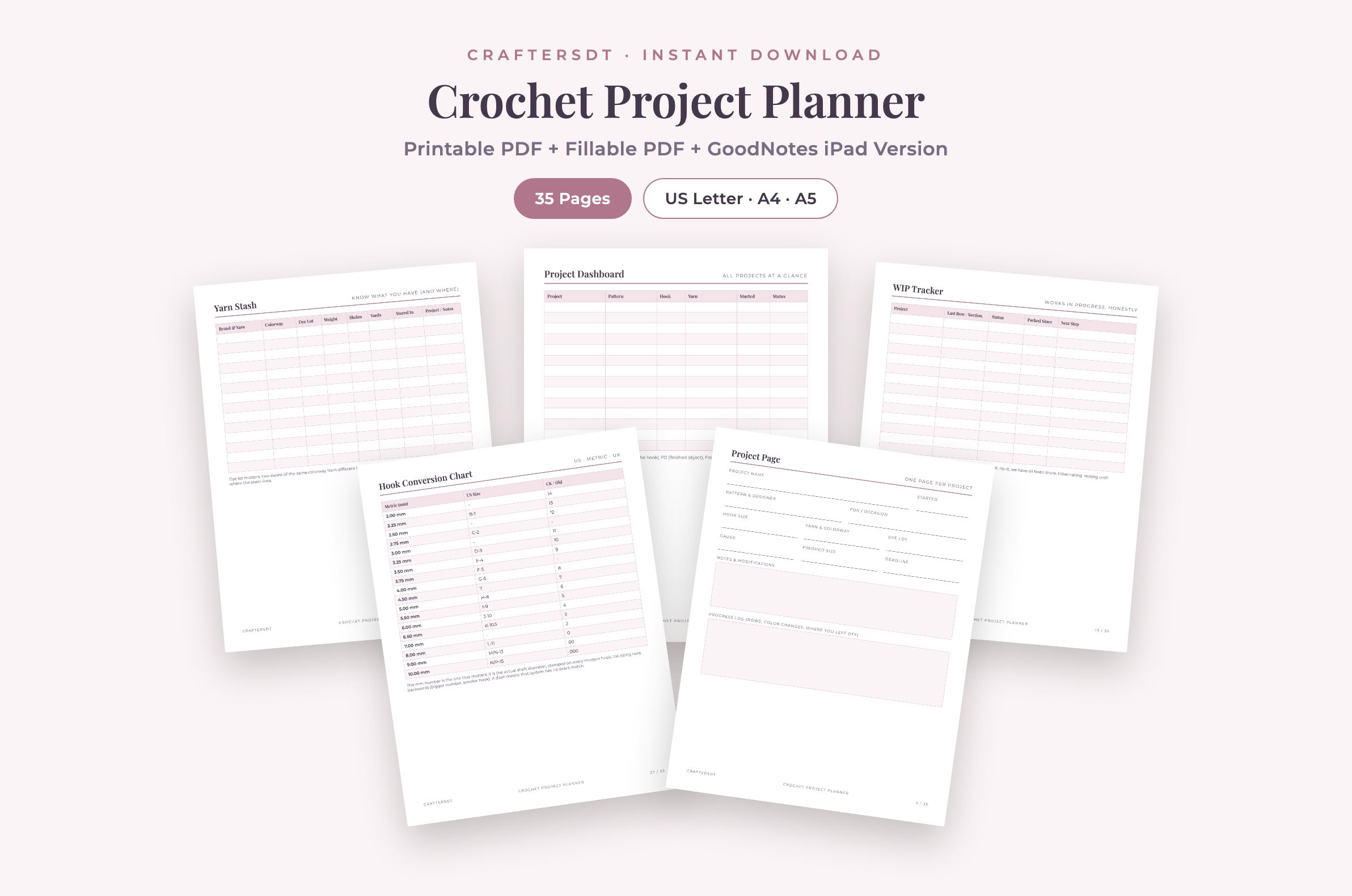
The bundle contains a project dashboard, ten reusable project pages, WIP and row trackers, pattern library pages, six yarn stash pages, a yarn wishlist, hook inventory and conversion charts, a yarn weight chart, gauge swatch pages, a gift planner, care tags, notes and doodle space, plus instructions and a license page. The files are supplied for US Letter, A4 and A5 printing, typed PDF use and a hyperlinked digital planning workflow.
35-Page Digital Download
Keep every crochet detail in one calm, reusable system
Print the pages you need, type into the fillable PDF, or navigate the hyperlinked planner on your tablet.
View the Crochet Planner on EtsyRelated Planners
If you make products for markets, the Crochet Market & Inventory Planner adds a business-focused way to track plushie stock and event preparation. Crafters who also knit may prefer the dedicated Knitting Project Planner for their needle-based projects.
Crochet Planner FAQ
What should I write in a crochet project planner?
At minimum, record the pattern, intended size, yarn and dye lot, hook size, gauge, start date, current row or round, modifications and next action. Add recipient, deadline and care instructions when relevant.
How often should I update my WIP tracker?
Update it whenever you pause a project and during one short weekly review. The most important moment is before the project goes back into storage, because that is when the current row and next step are easiest to capture.
Do I need to print all 35 pages?
No. Print only the pages that suit your workflow and reprint reusable layouts as needed. The different paper sizes are alternatives, not pages you must use together.
Can I use the planner without GoodNotes?
Yes. Use the printable layouts or type into the fillable PDF. GoodNotes, Notability and Noteshelf are options for the hyperlinked digital version, not requirements for the entire bundle.
How do I keep a yarn stash inventory accurate?
Update the quantity when yarn enters or leaves the stash, record partial skeins by weight when practical, and give every bin or shelf a simple location label. A small accurate inventory is more useful than a detailed list you never maintain.
Make Your Next Crochet Session Easier
Good crochet organization is less about owning more containers and more about preserving decisions. Start with one active WIP, record the details that would be annoying to recover, and leave yourself a clear next action. If you want a ready-made system, you can see the full Crochet Project Planner bundle on Etsy.

Leave a Reply