
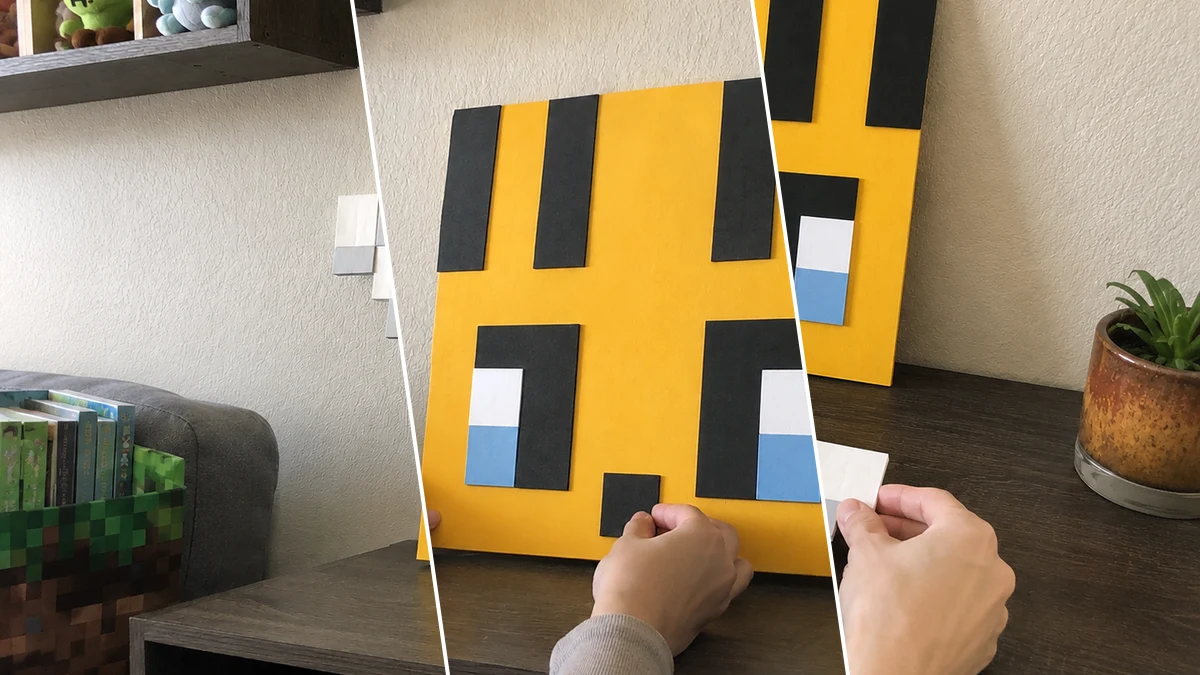
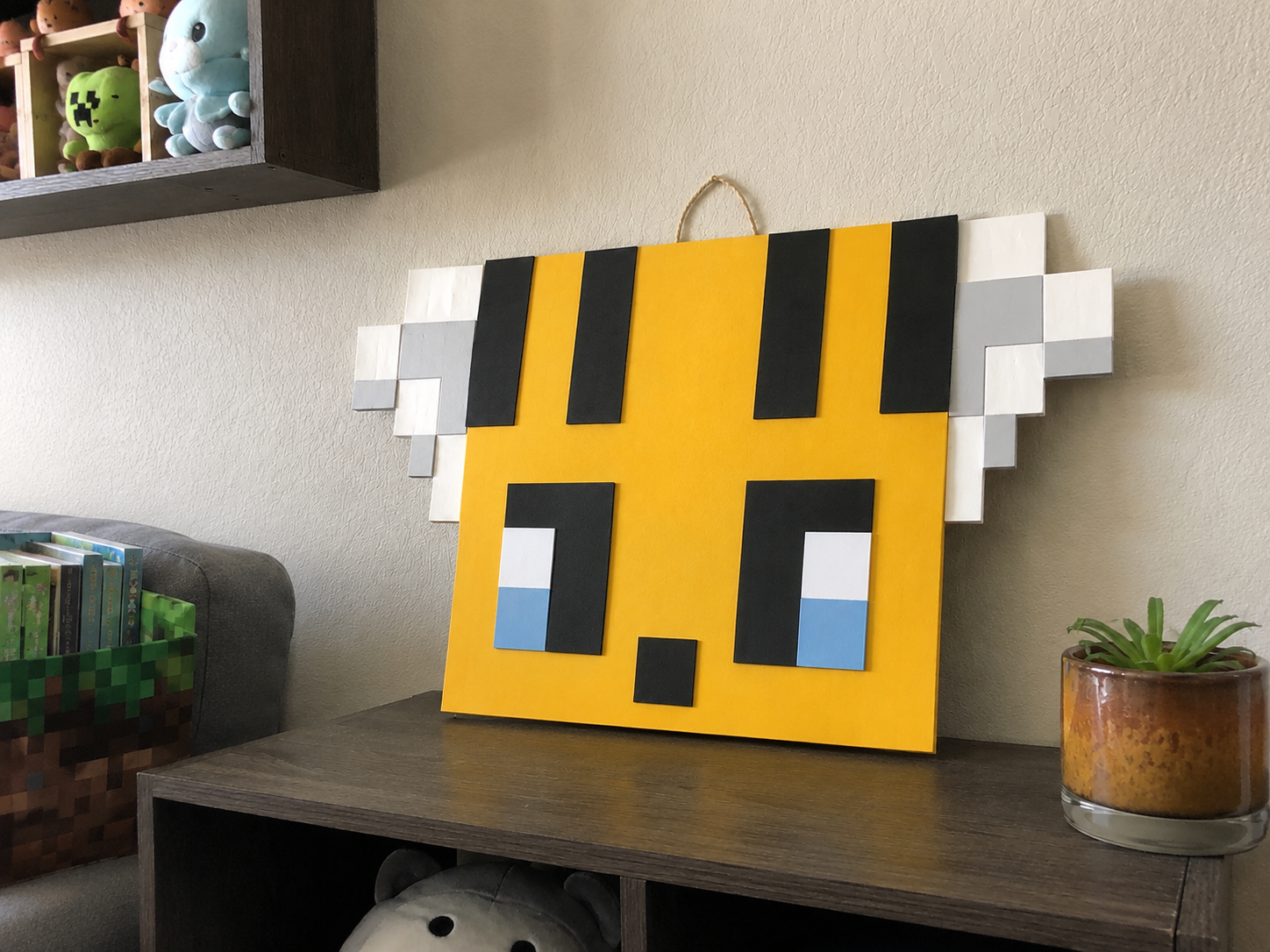
My kids saw this super cool pixel art on TikTok and begged me to make something similar for their room. Of course, my mind immediately went to Dollar Tree! We whipped up this adorable “Pixel Bee Wall Art: Minecraft-Inspired Decor” that’s just perfect for any little gamer. It was so much fun, and honestly, it turned out even cuter than I expected!
Theme: Wedding & Party
Materials Needed
- Yellow Foam Board (or white board + yellow paint)
- Assorted Cardstock/Foam Sheets (Black, White, Light Gray, Light Blue)
- Jute Twine
- Craft Glue or Hot Glue Gun with Glue Sticks
- Basic Craft Tools (Scissors or Craft Knife, Ruler, Pencil)
Why This Craft Works
This “Pixel Bee Wall Art: Minecraft-Inspired Decor” is seriously versatile! It’s super cute for a kid’s bedroom wall art, especially if they love all things Minecraft. But honestly, it also makes an amazing, unique favor or decoration for a “Wedding & Party” with a gaming or even a bee theme. Think about those little party tables or even a special gift for the ring bearer! It’s a sweet touch for any Kids & Family celebration.
You know I love a good Dollar Tree haul, and this project is practically free! Seriously, all the supplies I needed, mostly from Dollar Tree, ran me about $9-11 total. It’s such a budget-friendly way to make something really special without breaking the bank. You just can’t beat that price for handmade goodness.
And don’t even get me started on how easy it is! This is definitely an Easy level craft, perfect for beginners or even older kids who want to try their hand at DIY. From start to finish, it took me about 30-45 minutes, so it’s awesome for a last-minute gift or a quick afternoon project. Everyone can make this, no problem!
Step-by-Step Instructions for Pixel Bee Wall Art: Minecraft-Inspired Decor
Okay, crafters, get ready to have some fun! You’re going to be amazed at how quickly this “Pixel Bee Wall Art: Minecraft-Inspired Decor” comes together. It’s honestly one of the easiest projects I’ve done, and it’s so rewarding to see that cute little bee come to life. Let’s grab our supplies and get started, you’ll have this done in about 30-45 minutes!
Step 1: Prepare the Yellow Base
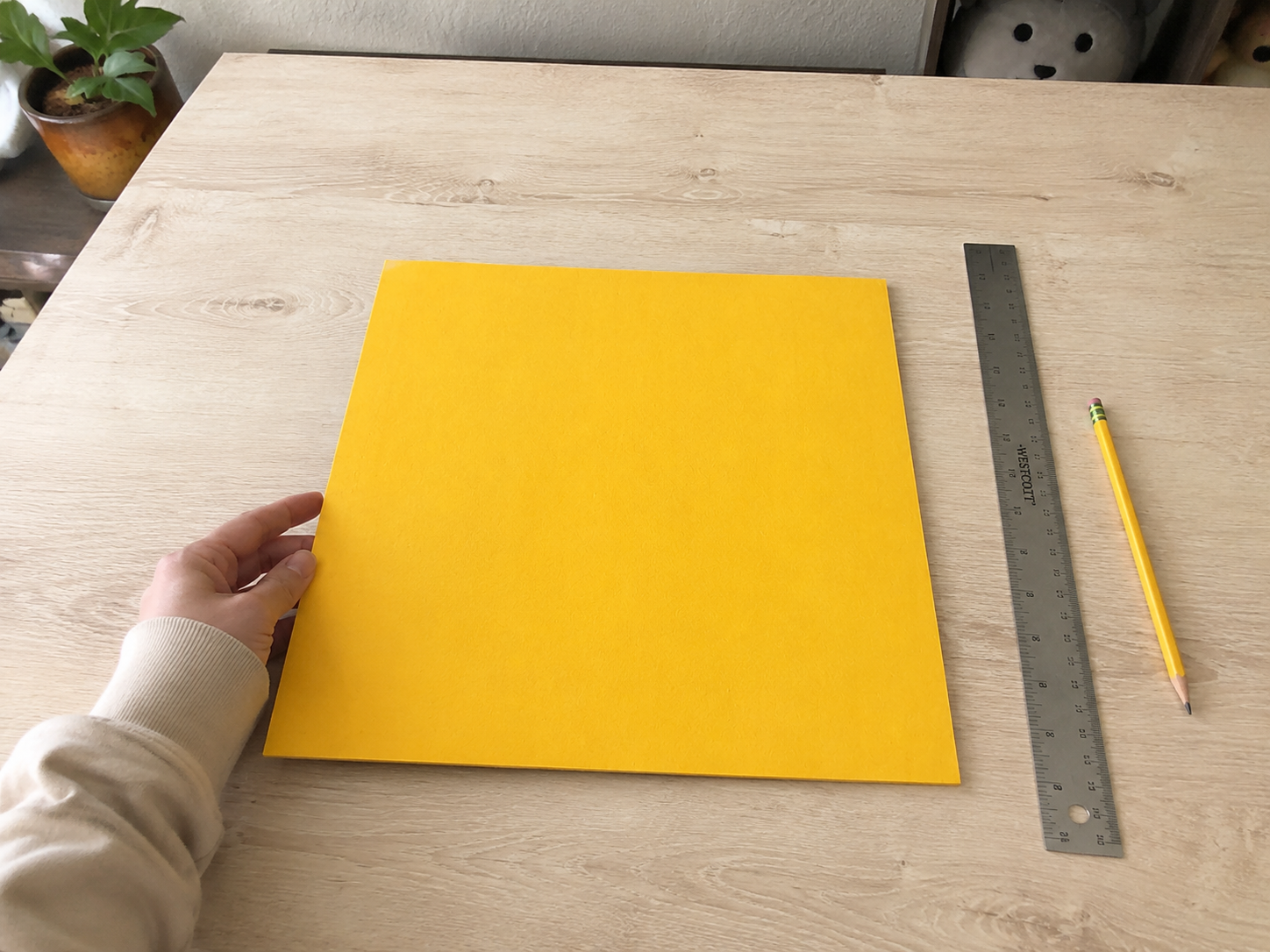
Begin by cutting your main bee body from the yellow foam board or poster board. Use a ruler and pencil to measure and draw a perfect large square of your desired size. Carefully cut along the lines using a craft knife (adult supervision advised) or sharp scissors. This will be the foundation of your pixel bee.
Step 2: Add Pixel Stripes
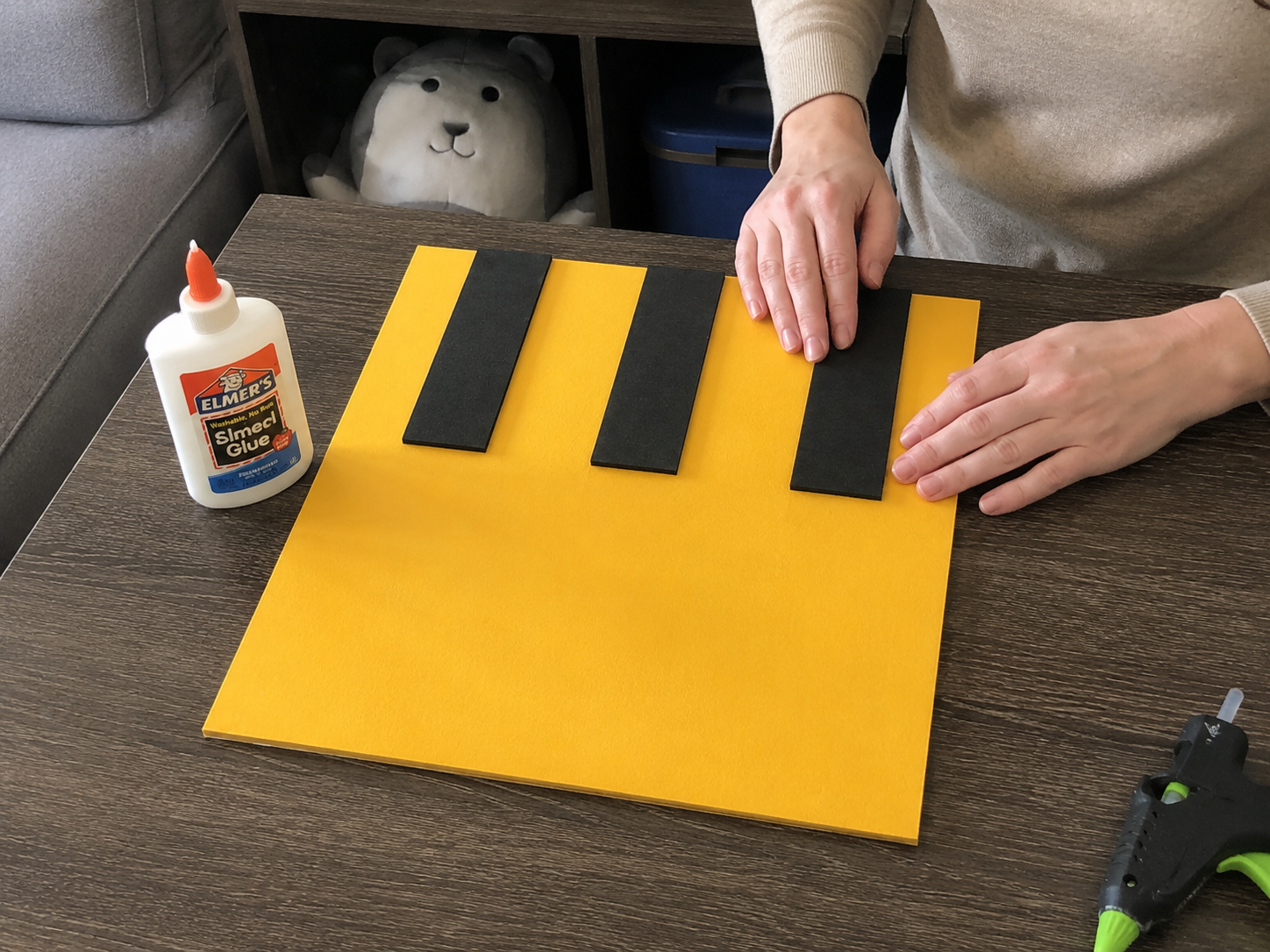
Next, measure and cut three or four thick vertical rectangular strips from black cardstock or foam sheet. These will form the bee’s iconic stripes. Arrange them evenly across the upper part of your yellow square base, ensuring they are straight and parallel. Once satisfied with the placement, use craft glue or a hot glue gun to securely attach each stripe.
Step 3: Craft Pixel Eyes
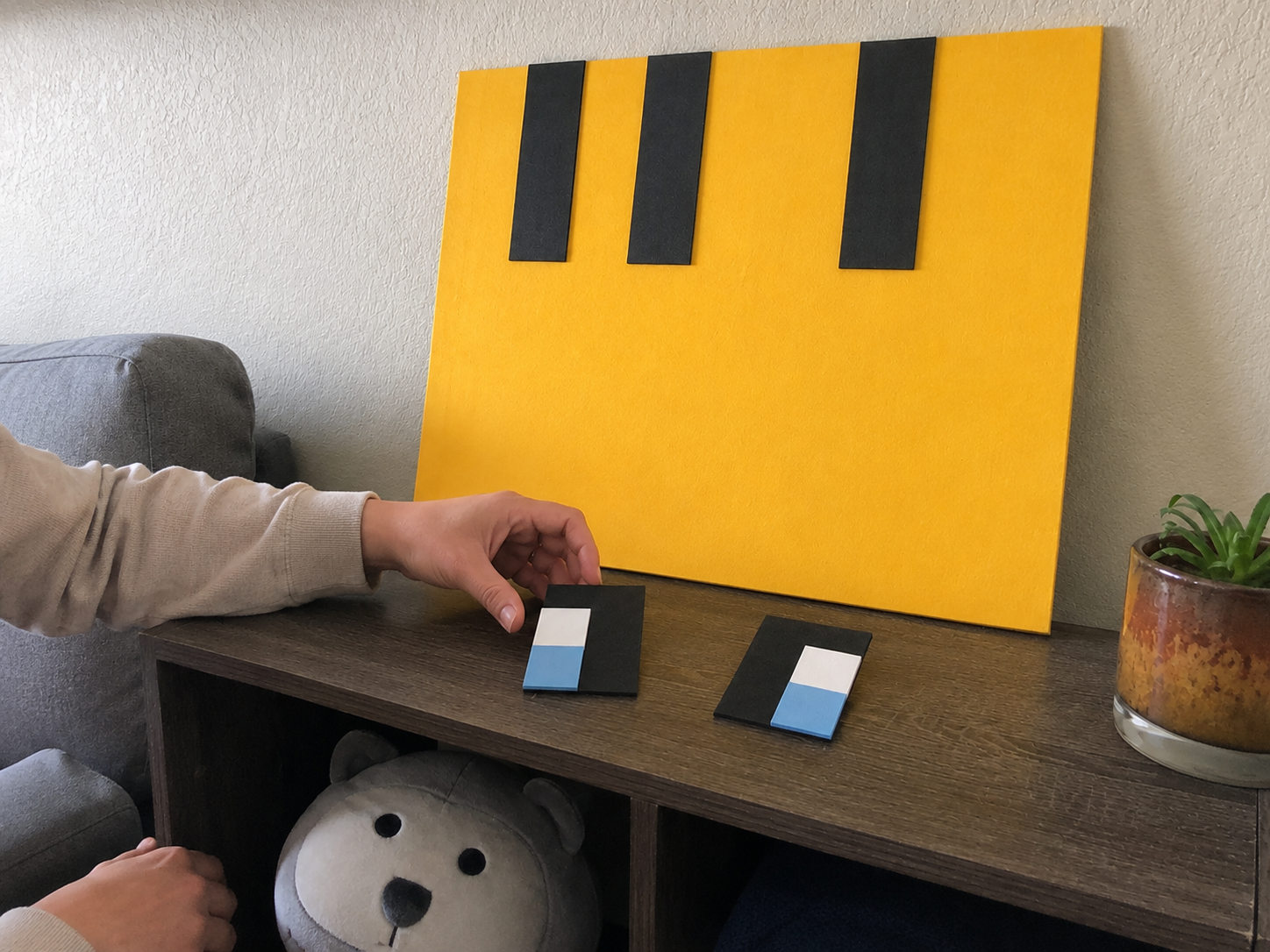
Now, let’s create the pixelated eyes. Cut two large black rectangular pieces for the main eye shape. For the highlights, cut two smaller white square/rectangular pieces and two light blue square/rectangular pieces. Layer these onto the black rectangles: first the white, then the light blue below it, to create a cute pixel highlight effect. Do not attach them to the main bee body yet.
Step 4: Attach Pixel Eyes
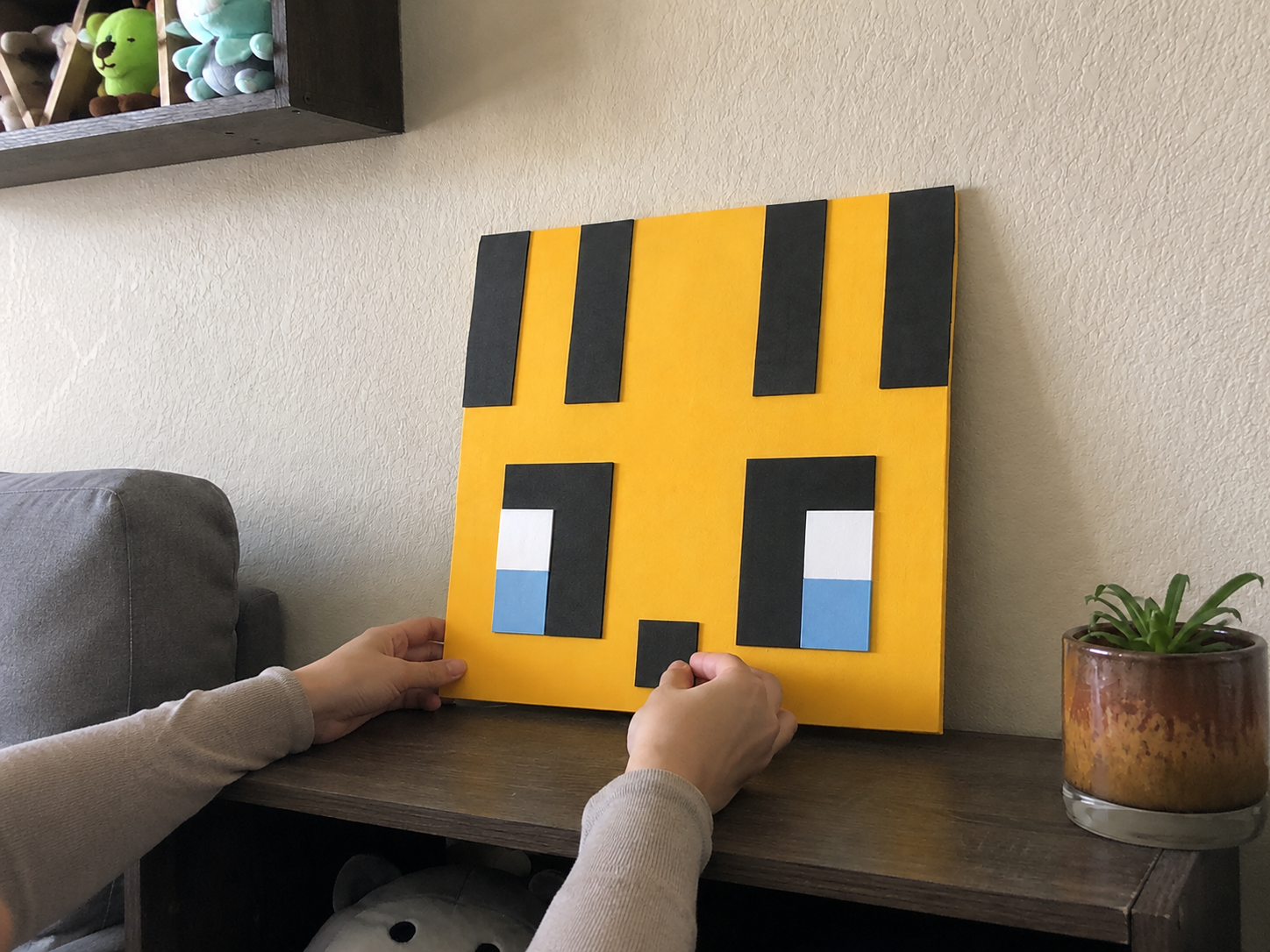
Carefully position your two assembled pixel eyes onto the lower half of the yellow bee base. Ensure they are evenly spaced and aligned horizontally to create a balanced face. Once you are happy with their placement, use craft glue or hot glue to firmly attach both eyes to the board.
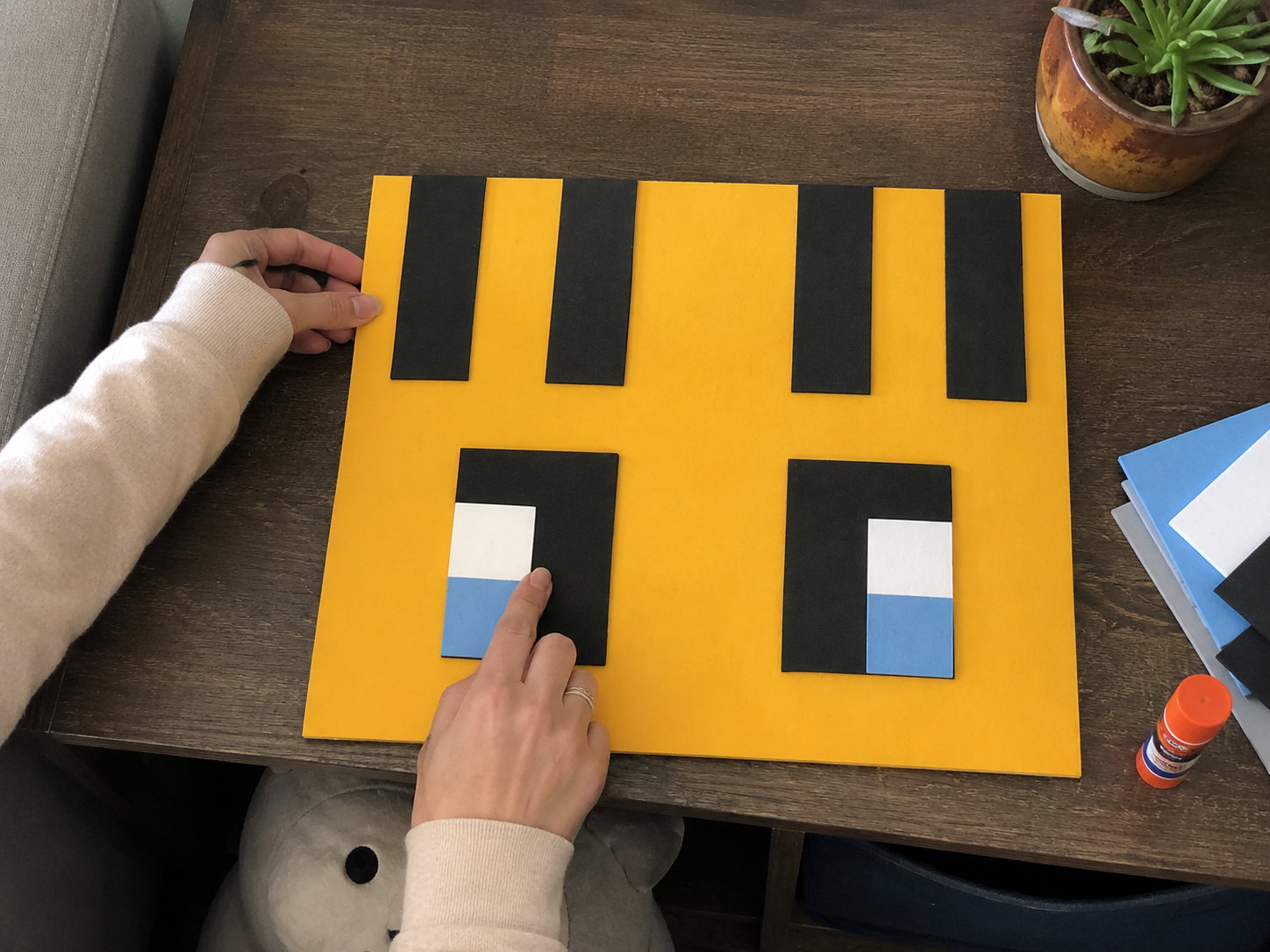
Step 5: Add the Pixel Mouth
For the bee’s pixel mouth, cut a small black square or rectangular piece from your black cardstock. This piece should be proportionate to the size of the eyes. Position it centrally below the two attached pixel eyes, ensuring it’s straight. Once positioned, glue it firmly into place.
📱 Craftino App
Make more crafts like this
1,000+ Wedding & Party ideas with photo guides & Pro Tips
✓ Step-by-step photo tutorials, nothing left out
✓ Pro Tips for every step
✓ Save crafts & browse fully offline
✓ New ideas added every week


Step 6: Assemble Pixel Wings
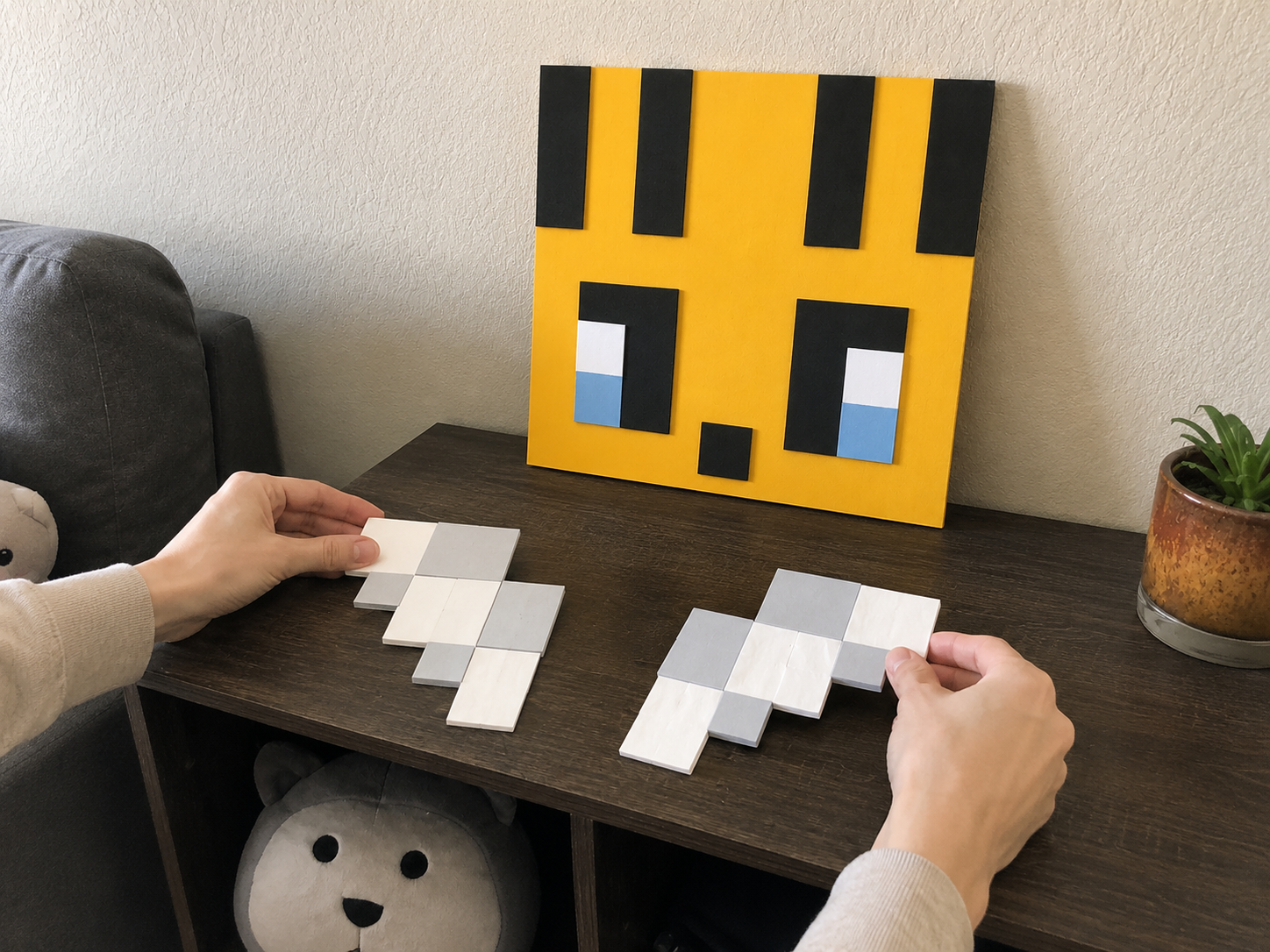
Now, let’s create the blocky pixel wings. From white and light gray cardstock or foam sheet, cut various small square and rectangular pieces. Arrange these pieces into two identical, stepped, pixel-art wing shapes. Remember, they should be blocky, not curved. Once you have the design you like, glue these smaller pieces together to form each completed wing separately. Do not attach them to the bee body yet.
Step 7: Attach Pixel Wings
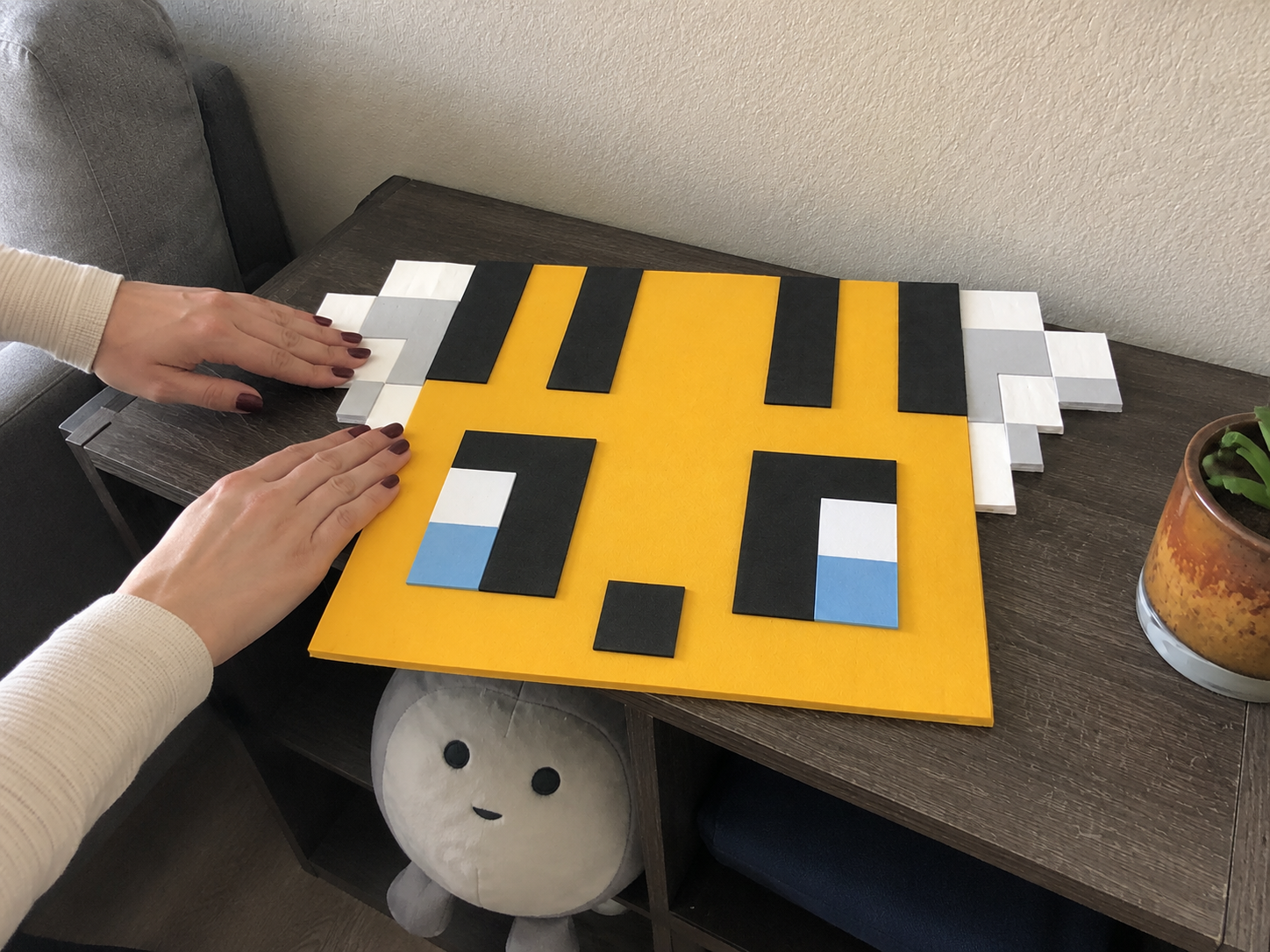
With your pixel wings assembled, it’s time to attach them. Apply glue to the back of each wing and carefully position them flat on the left and right sides of the yellow bee body. Ensure they are symmetrical and at an appropriate height to complete the pixel bee look. Press firmly to secure them.
Step 8: Add the Jute Hanger
For the final touch, cut a length of jute twine. Form a loop and securely knot the ends. Attach this loop to the top, center-back of your pixel bee using a strong craft glue or hot glue. Ensure the knot is sturdy and the loop is long enough to hang easily. Let the glue dry completely before hanging your new decor.
See also: Boho Celestial Moon Phase Wall Art Dollar Tree Diy
📋 Love staying organized while crafting? Check out our printable planners & craft designs at CraftersDT on Etsy and use code CRAFT20 for 20% off your entire order!
Buzz-worthy Pixel Bee Wall Art!
Wasn’t that fun? Your adorable “Pixel Bee Wall Art: Minecraft-Inspired Decor” is all ready to buzz its way onto a wall or be gifted to a lucky gamer! I just love how mine turned out, and I bet yours is super cute too. Don’t forget to share your creations with me, or try a different pixel animal!
📱 Craftino App
Make more crafts like this
1,000+ Wedding & Party ideas with photo guides & Pro Tips
✓ Step-by-step photo tutorials, nothing left out
✓ Pro Tips for every step
✓ Save crafts & browse fully offline
✓ New ideas added every week
Frequently Asked Questions
How much does it cost to make the DIY Pixel Bee Wall Art: Minecraft-Inspired Decor?
The total cost for the DIY Pixel Bee Wall Art: Minecraft-Inspired Decor is typically $9-11. This budget-friendly craft uses mostly supplies from Dollar Tree, making it an affordable project for any crafter.
How long does it take to complete the Pixel Bee Wall Art project?
It takes about 30-45 minutes to complete the Pixel Bee Wall Art: Minecraft-Inspired Decor project. This quick crafting time makes it perfect for a spontaneous afternoon activity or a last-minute gift for a Wedding & Party.
Is the Dollar Tree Pixel Bee Wall Art a beginner-friendly DIY project?
Yes, the Dollar Tree Pixel Bee Wall Art: Minecraft-Inspired Decor is an easy DIY project, making it perfect for beginners. The steps are simple and don’t require any advanced crafting skills, so kids and adults alike can enjoy making it.
Where can I buy the materials for this Minecraft-Inspired Decor?
You can buy most of the materials for this Minecraft-Inspired Decor at Dollar Tree. For example, you can often find wooden canvases, acrylic paints, and small brushes for just $1.25 each, keeping the project super affordable.
Is the Pixel Bee Wall Art a good gift for a Kids & Family event or a Wedding & Party?
Absolutely, the Pixel Bee Wall Art: Minecraft-Inspired Decor makes a fantastic gift for a Kids & Family event or a themed Wedding & Party. Its charming design appeals to Minecraft fans and adds a unique, handmade touch to any celebration or bedroom.
Can I customize the colors of my DIY Pixel Bee Wall Art?
Yes, you can easily customize the colors of your DIY Pixel Bee Wall Art: Minecraft-Inspired Decor. While the classic Minecraft bee uses yellow and black, you can use any acrylic paint colors you like to match a room’s decor or a specific party theme.
What type of paint is best for the Dollar Tree Pixel Bee project?
Acrylic paint is best for the Dollar Tree Pixel Bee Wall Art project because it’s budget-friendly and dries quickly. You can find small bottles of various colors at Dollar Tree or craft stores, usually for under $2 a bottle.
How many paint colors do I need for the Pixel Bee Wall Art?
You typically need at least two main paint colors for the Pixel Bee Wall Art: Minecraft-Inspired Decor, one for the bee’s body (like yellow) and one for its stripes/details (like black). A third color for the background or wings (like white or blue) can add more detail.
How durable is the DIY Pixel Bee Wall Art for a kid’s room?
The DIY Pixel Bee Wall Art is quite durable for indoor display in a kid’s room. Once the acrylic paint is fully dry, it creates a lasting finish on the wooden surface, ensuring the art holds up well over time.
What are some common mistakes to avoid when making the Pixel Bee Wall Art?
One common mistake to avoid when making the Pixel Bee Wall Art is rushing the drying time between paint layers. Allowing each layer of acrylic paint to dry completely (about 10-15 minutes) prevents colors from blending where they shouldn’t.
Browse wedding & party crafting supplies at Dollar Tree.

Leave a Reply